
August 2026 – Tax management for jointly owned properties
Tax management for jointly owned properties just became much simpler. Enter a property’s income, expenditure and ownership details once, and SmartPropertyManager can use that single set of records to produce the figures needed for each owner’s tax return and MTD updates. For landlords who jointly own property, this removes duplicate bookkeeping and can save a substantial amount of time.
Managing tax for jointly owned properties
For a portfolio or property unit, you can record:
- each owner;
- the percentage owned; and
- the dates for which that ownership applies.
The Owners tab shows the ownership percentage and effective dates for the selected portfolio or property unit.
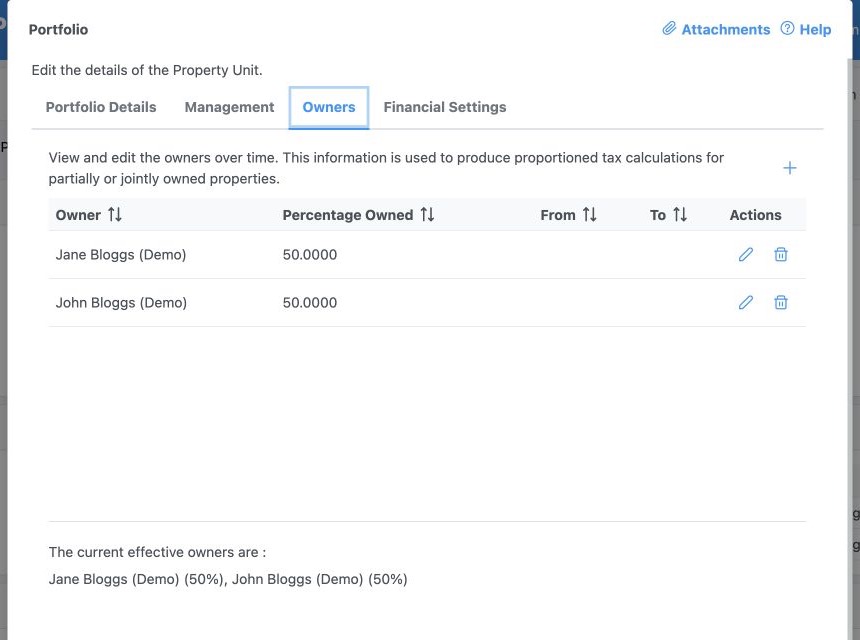
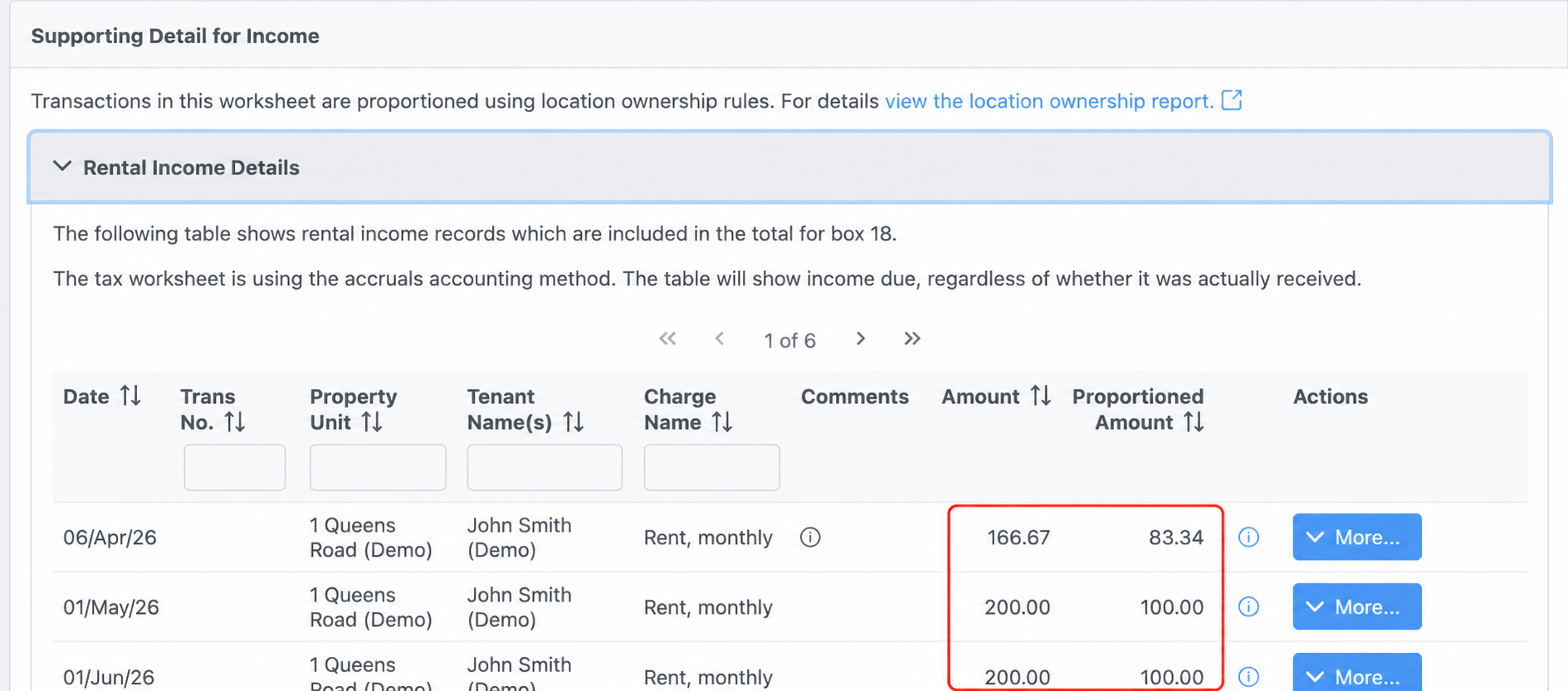
When you prepare a tax worksheet, SmartPropertyManager applies the ownership share in effect on each transaction’s reporting date and proportions income and expenditure automatically. Original and allocated values remain visible for review, so every owner can prepare their return from the same shared property records.
To set up joint ownership
- Create a Landlord record for each owner.
- Open the portfolio or property unit and select the Owners tab. For a property unit, use Additional Details → Owners.
- Add the owner, percentage and effective dates.
- Create a separate user login for each owner who needs to submit updates to HMRC.
Each owner connects to HMRC and submits their own quarterly update. See the Making Tax Digital for Income Tax – step-by-step guide for the full setup and submission process.
Additional tax management improvements
- Clearer MTD configuration. The Configure for MTD dialog now links each user’s NI number to the corresponding Landlord record. These settings are locked after the first HMRC submission to help prevent accidental mismatches.
- Updated 2025–26 tax worksheet. The UK Property Tax worksheet now reflects the 2025–26 SA105 form.
- Clearer HMRC connection guidance. If HMRC refuses authorisation, SmartPropertyManager now explains that the configured NI number may be incorrect or the user may not yet be signed up for MTD.
- Better handling of temporary HMRC outages. Income Tax Management remains available and provides retry guidance if an HMRC service is temporarily unavailable.
- Simpler reconnection. If HMRC authorisation has expired or been revoked, SmartPropertyManager now shows clear re-authorisation guidance rather than technical error details.
We’ll continue to keep you updated on new features we add to SmartPropertyManager. And as always, please don’t hesitate to contact us if you have questions or suggestions.
Best regards,
SPM Team